Plugins
What is a plugin?
A plugin can be installed on a website to add new features or functionality. While themes are used to control the appearance of a site, plugins are used to enhance or extend its capabilities.
If you have recommendations for additional plugins, please open a ticket at https://helpdesk.ilc.upd.edu.ph. We will test them thoroughly and update you on whether they’ve been successfully added to our approved list.
How to activate plugins on your site?
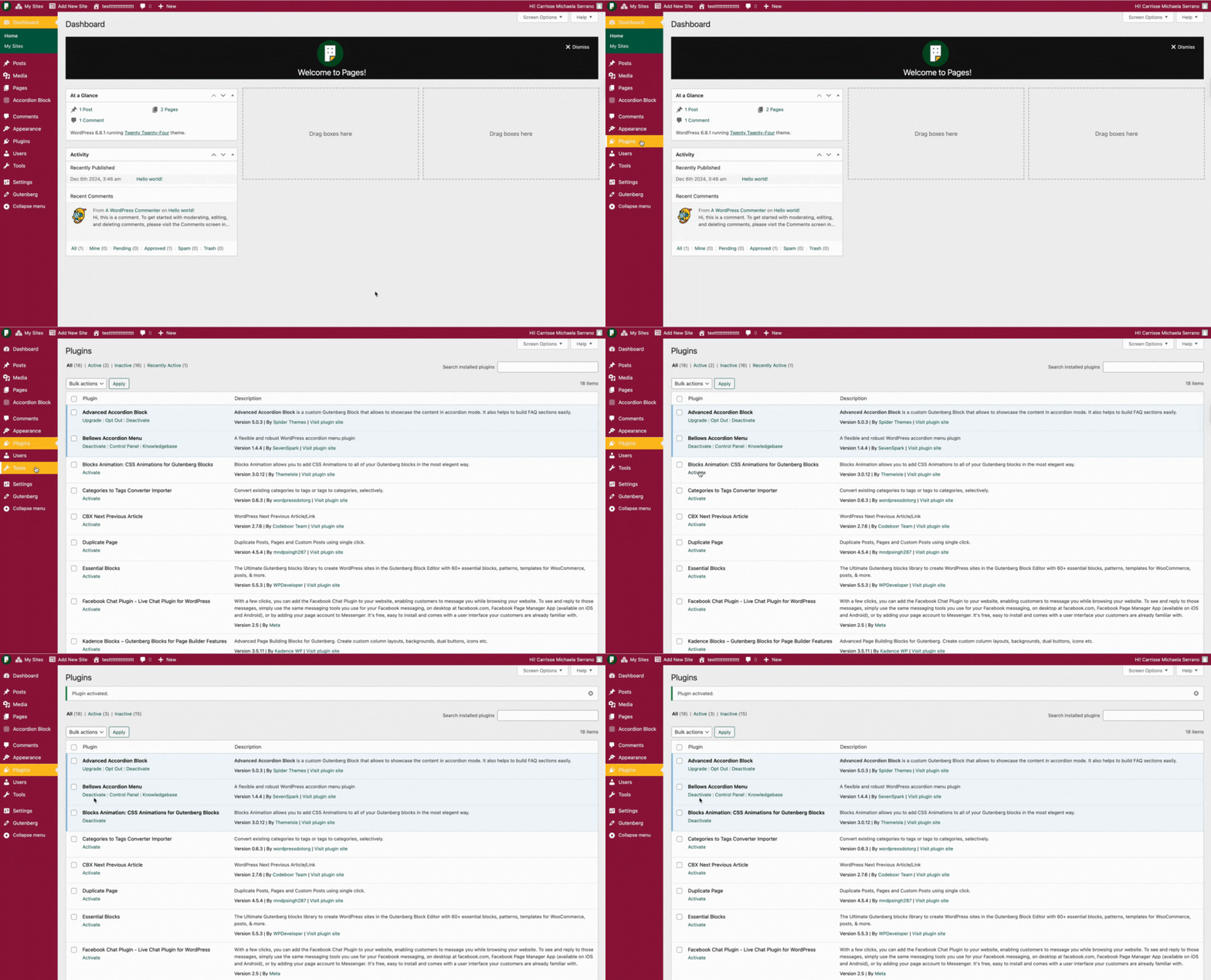
- On your dashboard, find and click the Plugins tab in the side menu.
- Once you’re on the Plugins page, you’ll see a list of available plugins.
- To activate a single plugin, simply click the Activate button next to its name.
For activating or deactivating multiple plugins simultaneously, use the Bulk Actions dropdown menu. Select the plugins you want to manage, choose “Activate” or “Deactivate” from the dropdown, and then click “Apply.”