How to embed Pictures and Videos from Google Drive
First you need to get a embed code from your google drive, to do that:
- Locate Your File in Google Drive:
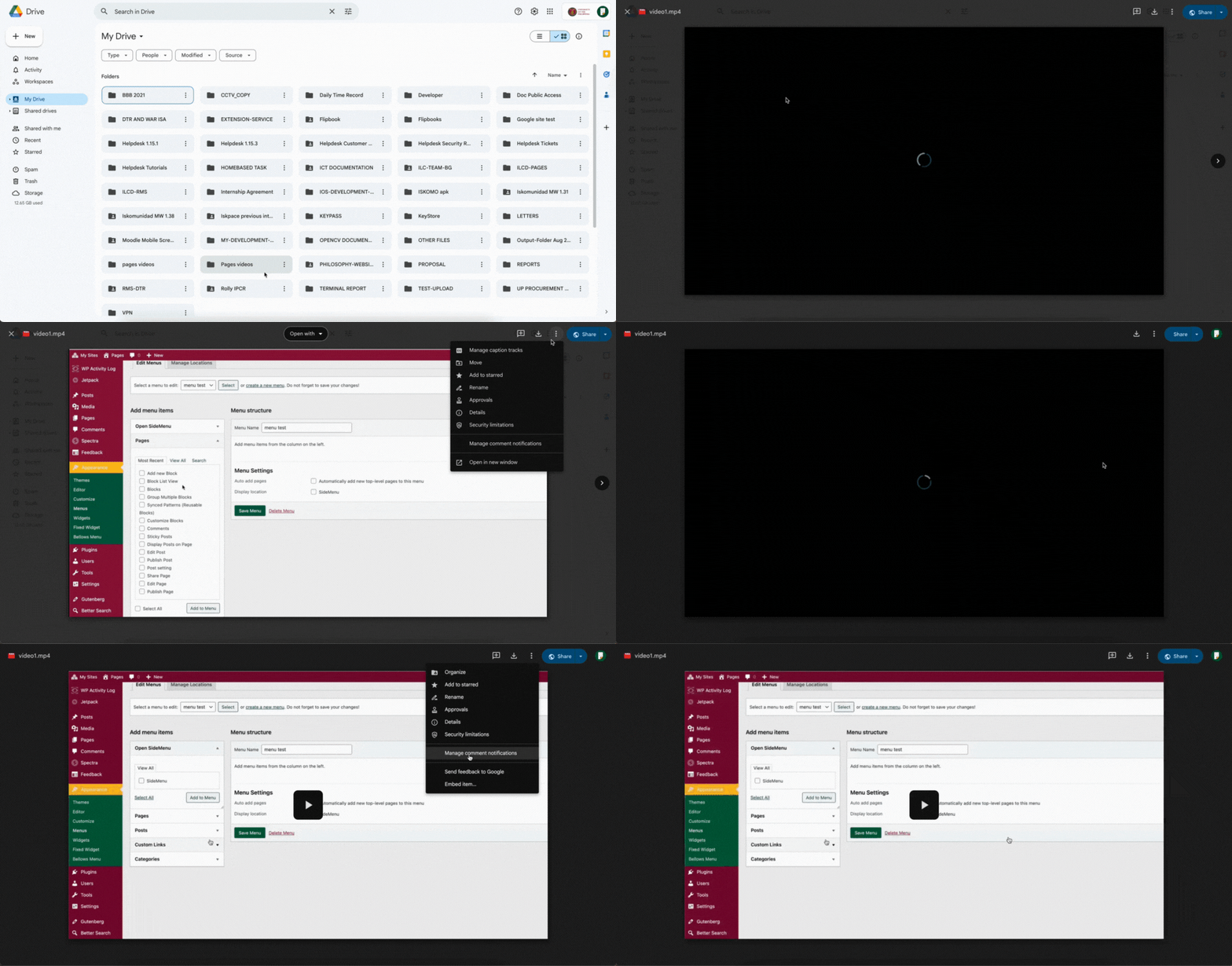
- Go to your Google Drive (drive.google.com).
- Navigate to and open the specific picture or video you want to embed.
- Open the File in a New Window:
- Once the picture or video is open, locate the “More actions” menu (represented by three vertical dots ••• or an ellipsis) in the top right corner of the preview pane.
- Click on these three dots and select “Open in new window”. This is a crucial step for generating the embed code.
- Generate the Embed Code:
- In the new window that opens with your picture or video, locate the “More actions” menu again (the three vertical dots ••• or ellipsis) in the top right corner.
- Click on these three dots and select “Embed item…”.
- Copy the Embed Code:
- A pop-up window will appear, displaying the iframe embed code.
- This code will look something like this:HTML
<iframe src="https://drive.google.com/file/d/YOUR_FILE_ID/preview" width="640" height="480" allow="autoplay"></iframe> - Copy this entire code snippet. You can usually click a “Copy” button within the pop-up, or manually select and copy the text.
- You can change the size of the video or picture by changing this:
width="640" height="480"
- Paste the Embed Code into Your site:
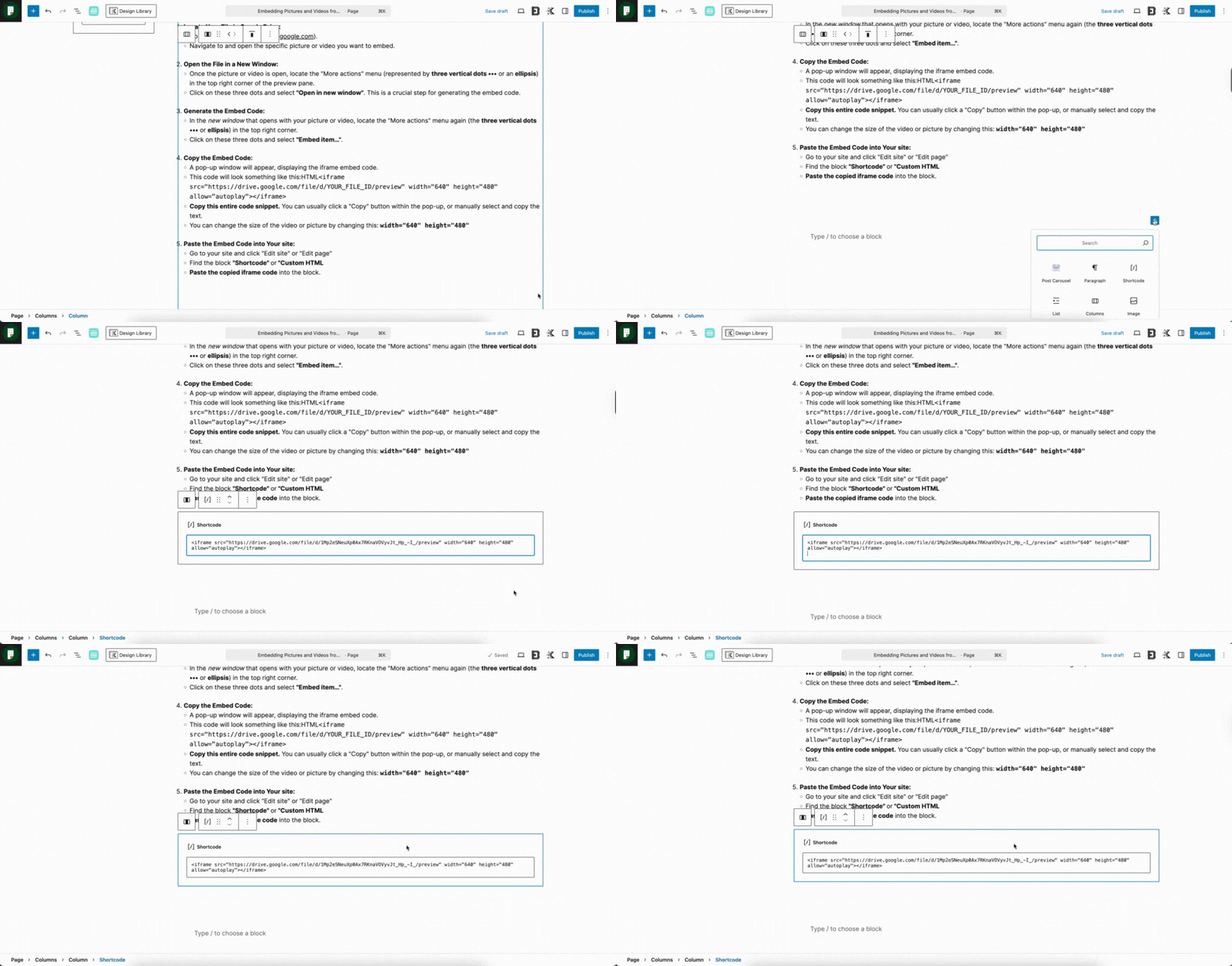
- Go to your site and click “Edit site” or “Edit page”
- Find the block “Shortcode” or “Custom HTML
- Paste the copied iframe code into the block.